Many businesses try Google Ads, pay for clicks for a few weeks and then switch it off, saying “it doesn’t work”. The problem usually isn’t the tool, it’s the setup. In this article, you’ll learn what Google Ads is, how it works, what types of campaigns there are and how to set it up and manage it so your money comes back to you.
Google Ads at a glance
- Google Ads is Google’s auction-based advertising system.
- Ads show up in search, in Maps, on YouTube, on partner websites and in Gmail.
- With search, you usually only pay for a click.
- Success depends on conversion tracking, keyword selection and regular optimization.
How Google Ads works
Google Ads is an online advertising platform where advertisers compete in an auction to have their ads shown. You create an account, set up a campaign, choose who should see your ad and decide how much you’re willing to pay. Google then evaluates, for every search, which ads to show and in what order.
The order isn’t decided by the bid alone. Google also takes into account the quality of the ad, its relevance to the search term and the experience on the page the ad leads to. That’s why a well-prepared smaller advertiser can beat a bigger one who simply pays more.
Main campaign types
- Search campaigns – text ads in search results. The best start for most businesses.
- Display campaigns – image ads on partner websites and in apps.
- Shopping campaigns – products with a photo and price for online stores.
- Video campaigns – ads on YouTube.
- Performance Max – an automated campaign that combines all placements at once. We explain when it makes sense in our article on Performance Max campaigns.
Targeting
You can target your ad by search terms, location, language, time, device and audience – for example, people who have already visited your website. The goal is to show a relevant ad to the right person at the right moment, that is, when they’re looking for a solution.
Tip: Start with a smaller budget and one campaign. Once you find out what works, expand.
When Google Ads pays off and when it doesn’t
Google Ads works best when people are actively searching for your product or service. Typically, that means:
- local services and trades – plumbers, car repair shops, hair salons, accountants,
- online stores with well-known products that people compare,
- B2B services with clear demand, such as making signs and banners,
- seasonal offers you need to get in front of people fast.
It’s less suited to brand-new products that nobody is searching for yet. There, social media ads that create demand are a better fit – you’ll find a comparison in our article Google Ads vs. Facebook Ads. It also makes no sense if your website has nowhere to send people because it lacks a clear offer, price or contact details. In that case, fix your website first and only then launch ads.
Common mistakes and how to avoid them
- No conversion tracking – you don’t know which ads bring in customers.
- Keywords that are too broad – they attract people looking for something completely different.
- Wrong location or time targeting – your ad shows outside your region or at times when nobody answers the phone.
- No negative keywords – your ad shows up for irrelevant searches.
- No optimization – the campaign stagnates or gets worse after launch.
- The ad leads to the homepage – instead of a page that answers exactly what the person was searching for.
Each of these mistakes drives up costs without results. You’ll find out how to fix them in our article Optimizing Google Ads for a higher return on investment.
Tip: Set up automated rules or alerts in Google Ads for keywords with a high cost and no conversions.
How to set up Google Ads properly
- Define your campaign goal – sales, inquiries, phone calls or store visits.
- Do keyword research – for example, in Keyword Planner right inside Google Ads. Prioritize terms with clear purchase intent.
- Set a budget – realistic and split according to what matters most to you. Our recommended budget calculator will give you a first estimate.
- Write compelling ads – with a specific benefit and a clear call to action.
- Set up conversion tracking – before launch, ideally through Google Analytics 4 or Google Tag Manager.
- Prepare landing pages – every campaign should lead to a page that follows on from the ad.

Recommended settings to start with
- Campaign type: search – the best balance of performance and cost control.
- Keywords: a smaller number of carefully chosen terms instead of hundreds of generic ones.
- Location: specific towns or a radius around your location if you operate locally.
- Scheduling: show ads at times when you can handle inquiries.
- Ad assets: phone number, address and links to subpages, which make your ad bigger and give people more reasons to click.
An example of a good search ad
For a tire shop in Prešov, an ad could look like this:
- Headline: Tire Service Prešov – Book Online
- Second headline: Tire Changes and Tire Storage
- Description: Pick a time on our website and come in with no waiting. We’ll also store your tires for the whole season.
- Assets: phone number, shop address and a link to the price list.
The ad clearly says where, what and what the person should do. No generic “we’re the best on the market”, but a specific reason to click.
How to manage your campaigns
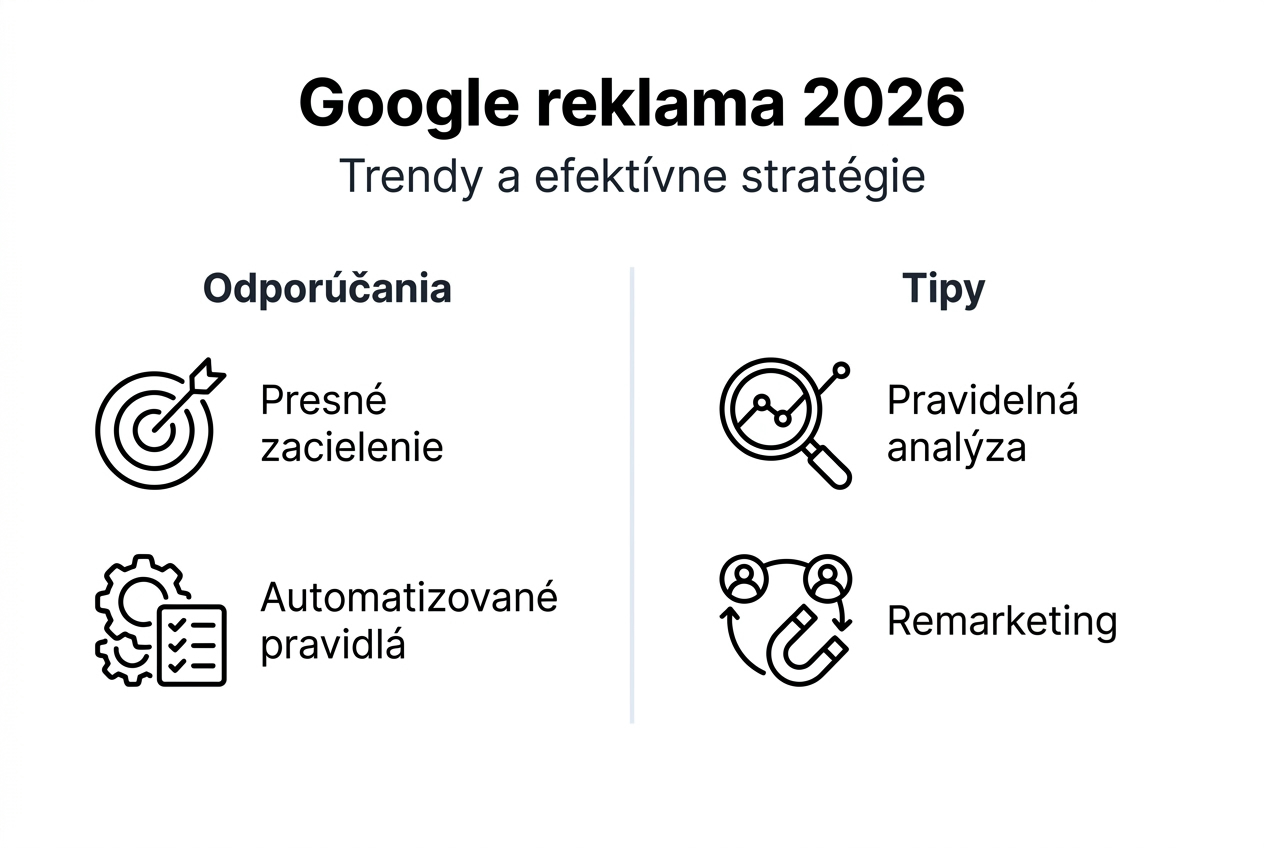
Google Ads isn’t a one-time setup. Track cost per click, conversion rate and return on investment, and adjust budgets, keywords and targeting based on them. Remarketing, in turn, helps you reach people who didn’t buy on their first visit.
What to do every week, month and quarter
- Weekly: check search terms, add negative keywords and see whether any campaign is draining budget without results.
- Monthly: compare cost per conversion and revenue with the previous month, test new ad copy and adjust budgets between campaigns.
- Quarterly: reassess your goals and seasonality, and consider whether it’s time to add a new campaign type.
What successful campaigns do differently
- they focus on keywords with high purchase intent,
- they have reliable conversion tracking set up,
- they regularly test ad copy and bids,
- they lead to pages that answer exactly what the person was searching for,
- they use remarketing for people who are still deciding.
There’s no magic to it – just consistency and data-driven decisions. A campaign that someone regularly monitors and adjusts has a much better chance of making money than one that someone set up once and left running.
Frequently asked questions
What’s the difference between Google Ads and traditional advertising?
With Google Ads, you show your ads to people who are searching for what you offer right now, and with search you pay for clicks. You see results almost instantly and can adjust campaigns at any time.
How do I know whether my Google Ads are working?
Set up conversion tracking and monitor cost per conversion and return on investment. The number of clicks alone isn’t enough.
What budget do I need to start?
It depends on your industry, competition and region. Proper setup and regular optimization matter more than the amount itself.
Do I need an expert for Google Ads?
You can handle a simple campaign yourself. But an expert will save you money on the mistakes beginners learn from along the way, and can take your campaigns further.
How Tronos can help you with Google Ads
Don’t want to risk money on campaigns that don’t work? As a Google Partner, we set up and manage ads for small and medium-sized businesses – in an account that’s yours, with a monthly report you actually understand. Learn more about our Google Ads services.